For owners
See risk and cash flow before month-end.
- Spot jobs drifting off plan
- See billing lag and remaining balances
- Review margin and workload in one place
 LowVoltageOps
Low voltage operations
Low voltage contractor software
Bring your crews, job updates, and billing handoffs into one place. Built for commercial low voltage contractors managing multiple jobs.
Inside LowVoltageOps
Preview real product screens below. Request a demo for a guided walkthrough of your team’s workflow.
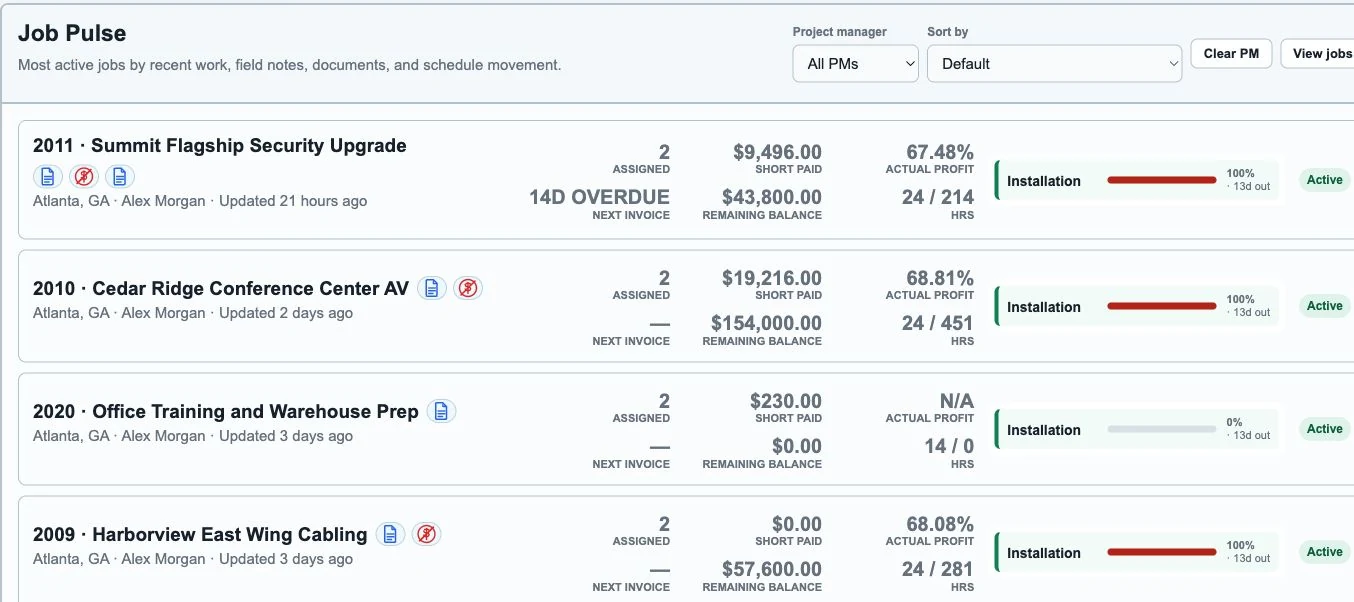
See crew assignments, overdue invoices, labor hours, and remaining balances together in Job Pulse.
View full-size screenshot (opens in a new tab)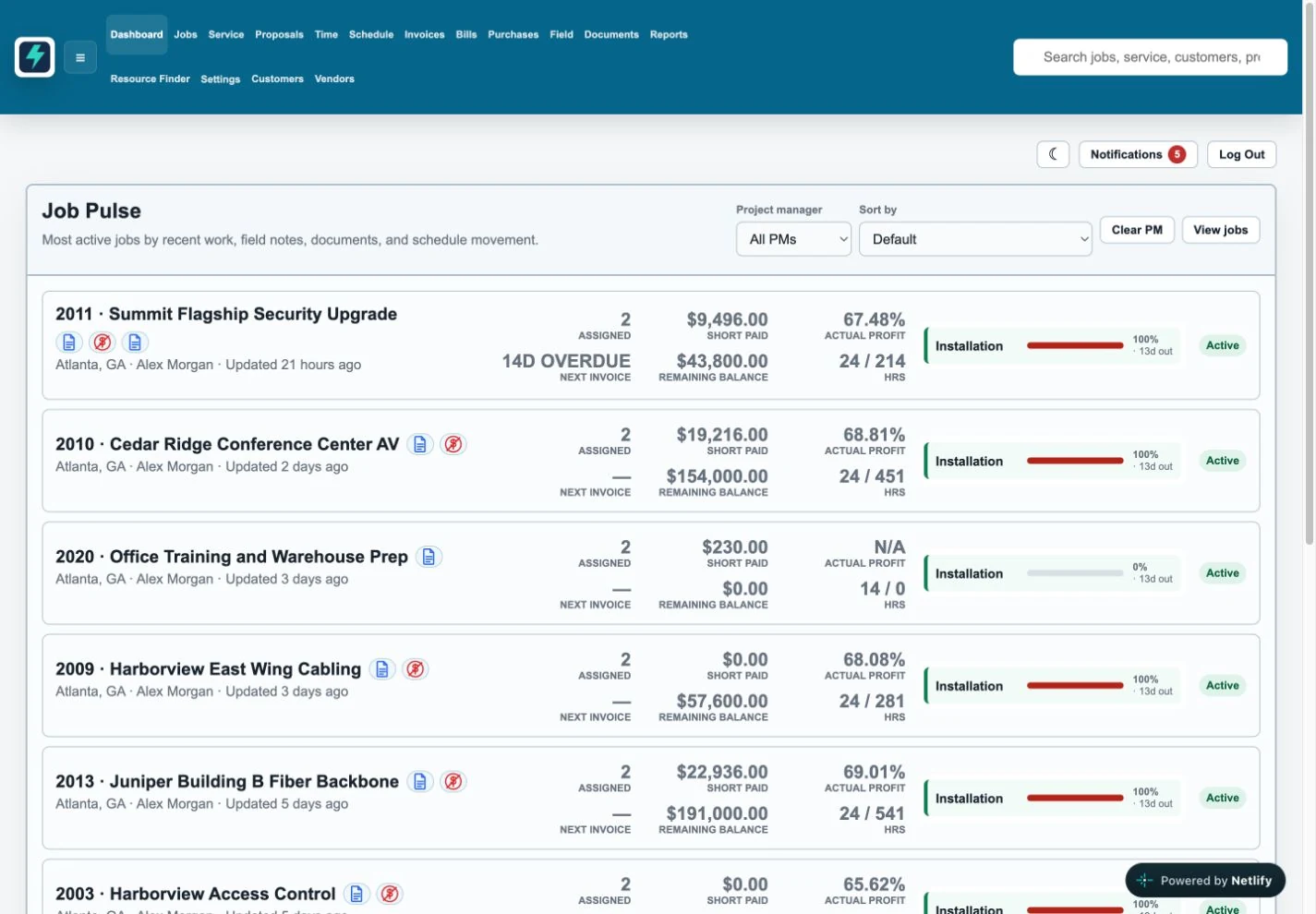
Review weekly assignments by technician, filter by department, and see the jobs scheduled across your crews.
View full-size screenshot (opens in a new tab)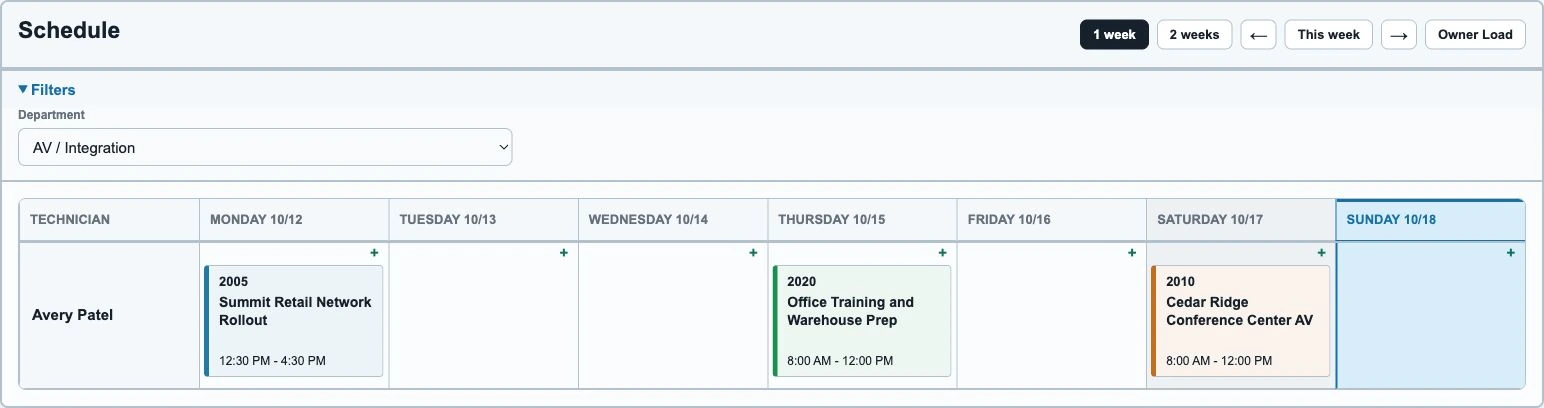
Bring photos, RFIs, and closeout files into the job record, with visibility controls for field technicians.
View full-size screenshot (opens in a new tab)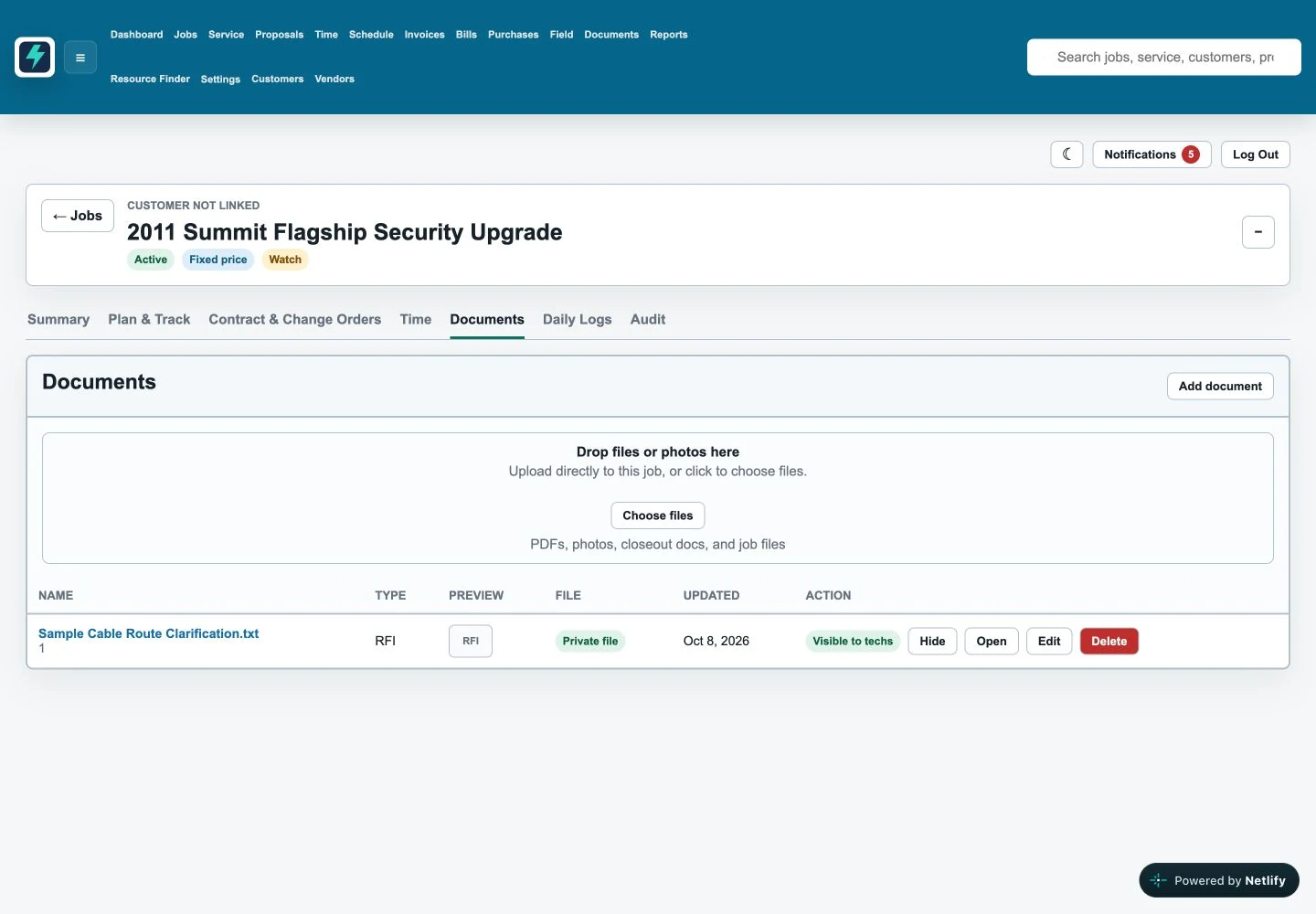
Connected workflow
LowVoltageOps connects sales, project management, field crews, accounting, and leadership so everyone works from the same operational picture.
Built around every handoff
Each person gets the operating view they need, while the whole team works from the same job record.
For owners
For project managers
For field technicians
Platform coverage
Give PMs one place to manage scope, status, contacts, site details, blockers, and next steps.
See what is assigned, what is overdue, and which jobs need a clear owner before work stalls.
Help technicians capture the updates the office needs while they are still on site.
Move from opportunity to approved work without losing the customer, site, or scope history.
Keep job documents, field records, open questions, and daily activity connected to the job.
Turn live operations into reporting that shows risk, progress, and profitability before closeout.
Built for your kind of work
Structured cabling, security, access control, AV, and networking. Commercial installs and service work.
Owners, PMs, technicians, and office staff who need to see the same job information.
Bring an example of your current workflow. We’ll walk through the handoffs and discuss whether LowVoltageOps fits.
Operational reporting
Leadership should not have to wait for a spreadsheet export to understand which jobs are at risk, which invoices are lagging, or where field work is getting blocked.
Practical resources
Evaluate job, field, billing, and reporting workflows together.
Connect job files, field proof, and the billing handoff.
Understand where manual trackers start to break down.
Ready for one operating system?
See how LowVoltageOps can help your team reduce admin work, improve visibility, and manage jobs with confidence.
Before you decide
We’ll email you to arrange a walkthrough and ask which parts of your workflow you want to cover. Submitting the form sends a request; it does not book a calendar appointment.
Pricing is custom and annual, based on company size, workflow fit, onboarding needs, and implementation scope. We’ll discuss those requirements before proposing pricing.
We start by reviewing your current workflow and handoffs. Bring examples of your job trackers, field updates, and closeout process so we can discuss rollout scope and any data migration needs.
Tell us which accounting tools you use. We’ll confirm the integration or export options available for your workflow during the demo, before you make a decision.
An example job and the questions your team struggles to answer: who is assigned, what changed in the field, which documents are missing, or what is holding up billing. You can describe the process without sharing confidential customer data.
Demo request
Send your details and we’ll email you to arrange a focused product walkthrough.