
Target query: low voltage contractor software
Low Voltage Contractor Software Buyer’s Guide
Low voltage contractor software should do more than store tasks or dispatch service calls. For commercial low voltage companies, the right system becomes the operating layer between estimating, PMs, field crews, documents, closeout, billing readiness, margins, and leadership reporting.
What is low voltage contractor software?
Low voltage contractor software is a system for managing the operational work of commercial cabling, security, access control, AV, networking, and similar contractors. It should connect the full job lifecycle: proposal, handoff, job setup, scheduling, field updates, documents, change orders, closeout, billing readiness, and reporting.
The important distinction is that low voltage work is not always a clean fit for generic construction software or basic field service software. A low voltage contractor may be running project work, service tickets, multi-site rollouts, device installs, programming, punch lists, warranty follow-up, test results, as-builts, and closeout packages at the same time. A tool that only tracks tasks, appointments, or invoices will usually leave gaps.
That is why growing contractors often start searching for low voltage contractor software after spreadsheets, shared drives, and text threads stop keeping everyone aligned. The real need is not another place to type notes. The real need is one operating record that shows what is happening, what is blocked, what is ready to bill, and what needs leadership attention.
Signs a low voltage contractor has outgrown spreadsheets
Spreadsheets can work when the owner personally knows every job and every crew. They break down when the company adds PMs, field leads, more active jobs, and more documentation requirements. The warning signs are usually operational, not technical.
- Job status is hard to trust. The spreadsheet says one thing, the PM says another, and the field team has the latest update in a text thread.
- Billing waits on follow-up. Accounting knows work happened but still needs photos, sign-off, punch status, change order approval, or PM confirmation.
- Closeout happens too late. Test results, labeled photos, redlines, as-builts, and training notes are chased after the crew has moved to another job.
- PMs spend too much time chasing updates. The team is working, but the job record is not current enough for decisions.
- Owners see margin risk after the fact. Labor burn, return trips, unbilled changes, and schedule slips are visible only after the job is already damaged.
If those problems sound familiar, the next software decision should focus on operational visibility. The best system is the one that reduces the number of places the team has to check before it knows the truth of a job.
The workflows low voltage contractor software should connect
Most software demos look clean when they show a single job. The better test is whether the system connects the handoffs that actually create pain in a busy contractor’s week.
1. Proposal-to-job handoff
The approved scope should not disappear into email. The job record should carry customer details, site information, scope assumptions, exclusions, estimated labor, expected materials, files, and PM ownership. If the estimate and job setup are disconnected, PMs start with missing context.
2. Job tracking and PM ownership
A good low voltage job tracking software workflow shows active jobs, PM owners, next actions, blockers, field status, closeout status, and billing readiness. It should be easy for leadership to see what needs attention this week.
3. Schedule readiness
Scheduling should show more than a crew name and date. Low voltage teams need to know whether materials are ready, access is confirmed, drawings are available, prerequisites are complete, and site conditions support the planned work. The scheduling workflow should prevent wasted trips, not just record them.
4. Field updates, photos, and proof
Field teams should capture notes, photos, blockers, return needs, site conditions, and completion proof in the job record. This helps PMs manage the work and gives accounting and owners better visibility later.
5. Closeout documentation
Closeout should be built during the job, not assembled after the final day. Contractors should track labeled photos, test results, redlines, as-builts, device lists, warranty details, training notes, punch items, and customer sign-off. A dedicated closeout documentation workflow makes the end of the job less chaotic.
6. Billing readiness
Completed work is not the same as invoice-ready work. The system should show what is ready to bill, what is missing, who owns the next step, and which jobs are creating billing lag. This is where billing readiness software can directly improve cash flow.
7. Reporting and job health
Owners need reports that show active jobs, blocked jobs, aging work, PM workload, closeout status, change order exposure, ready-to-bill revenue, labor burn, and margin risk. A job health dashboard should help the company make weekly decisions, not just review last month’s results.
Low voltage contractor software scorecard
Use this scorecard when comparing tools. A system does not need to be perfect on day one, but it should clearly improve the handoffs that cost the most time, margin, and billing delay.
| Category | What to look for | Why it matters |
|---|---|---|
| Job setup | Customer, site, scope, files, PM owner, budget assumptions, and kickoff details. | Prevents approved work from starting with missing context. |
| PM visibility | Active jobs, next actions, blockers, due dates, field status, and job health. | Lets PMs manage risk instead of chasing scattered updates. |
| Field workflow | Mobile notes, photos, completion proof, blockers, and return needs. | Turns field activity into usable operating data. |
| Scheduling | Crew calendar, readiness checks, materials, access, and customer constraints. | Reduces wasted trips and schedule surprises. |
| Closeout | Test results, photos, as-builts, punch, sign-off, and customer handoff status. | Protects billing, warranty, and customer expectations. |
| Billing readiness | Ready-to-bill status, missing items, PM approval, and accounting handoff. | Shortens the gap between work completed and invoice sent. |
| Margins | Labor burn, change orders, return trips, unbilled work, and margin watch. | Helps owners act before margin issues become permanent. |
How low voltage software differs by contractor type
Structured cabling contractors often need stronger drop tracking, labeling, test results, IDF/MDF documentation, redlines, and as-builts. Security integrators need camera, access control, intrusion, panel, programming, credential, and commissioning workflows. AV integrators need equipment readiness, room readiness, programming status, punch lists, training, and handoff documentation.
The core operating problem is still the same: jobs move through handoffs. A strong system gives each team a practical view of its work while still giving owners one company-wide picture of job health, billing readiness, and margin risk.
Common mistakes when buying contractor software
The biggest mistake is buying around a feature checklist instead of the company’s actual operating pain. A tool can have CRM, tasks, files, calendar, and invoices while still failing to show which jobs are blocked, what closeout is missing, and what is ready to bill.
Another mistake is assuming generic construction software will automatically fit low voltage operations. Broad tools can be useful, but they often require low voltage teams to build their real workflow in spreadsheets, custom fields, or side documents. That is why it is worth reading comparisons like LowVoltageOps vs generic construction software, LowVoltageOps vs spreadsheets, and LowVoltageOps vs Knowify before committing.
The third mistake is rolling out too much at once. The best first rollout is usually a focused operating workflow: job setup, PM ownership, field updates, closeout status, billing readiness, and owner reporting. Once the team trusts that workflow, deeper reporting and process improvement become much easier.
Where LowVoltageOps fits
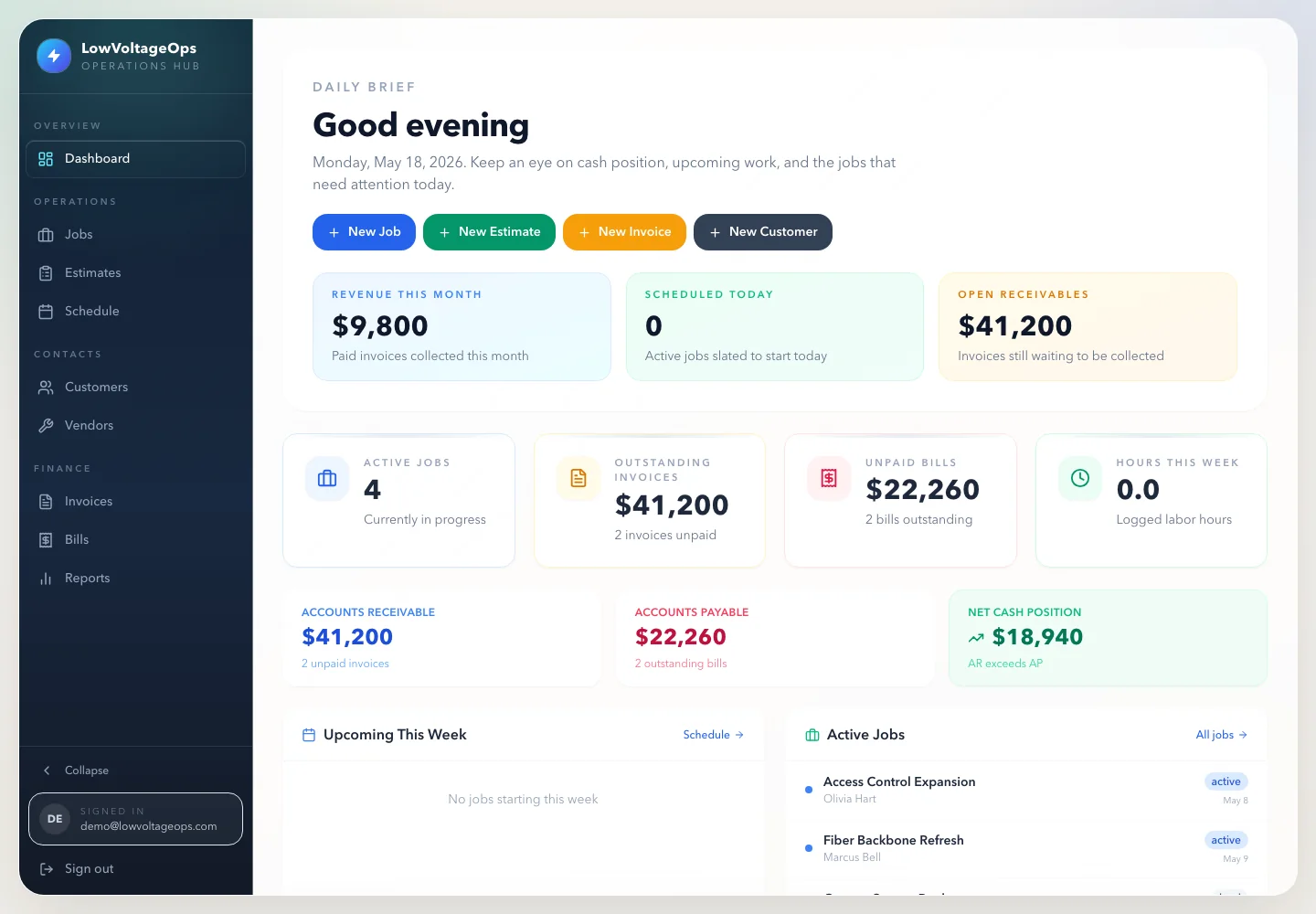
LowVoltageOps is built like an operating system for commercial low voltage contractors, not a generic field service app. It connects jobs, field updates, scheduling, proposals, documents, closeout, billing readiness, margins, and reporting in one workflow.
For teams outgrowing spreadsheets or fighting handoff problems in broader contractor tools, LowVoltageOps focuses on the operating layer: what is active, what is blocked, what the field proved, what closeout is missing, what is ready to bill, and where margin needs attention.
Frequently asked questions
What is low voltage contractor software?
Low voltage contractor software helps commercial low voltage teams manage jobs, scheduling, field updates, documents, closeout, billing readiness, change orders, job health, and reporting for structured cabling, security, access control, AV, networking, and related work.
How should low voltage contractors choose software?
Contractors should map the full workflow from proposal to job setup, scheduling, field updates, closeout, billing readiness, and profitability reporting. The strongest fit is usually the system that reduces handoff gaps between estimating, PMs, field crews, accounting, and ownership.
Why is generic construction software often not enough for low voltage teams?
Generic construction software may manage tasks and documents, but low voltage teams often need stronger field proof, device or drop documentation, closeout status, service and project visibility, billing readiness, and job health reporting in one operating workflow.
What reports should owners get from low voltage contractor software?
Owners should get reports on active jobs, blocked jobs, PM ownership, aging work, schedule risk, closeout status, ready-to-bill revenue, billing lag, change order exposure, labor burn, margin risk, and job health.